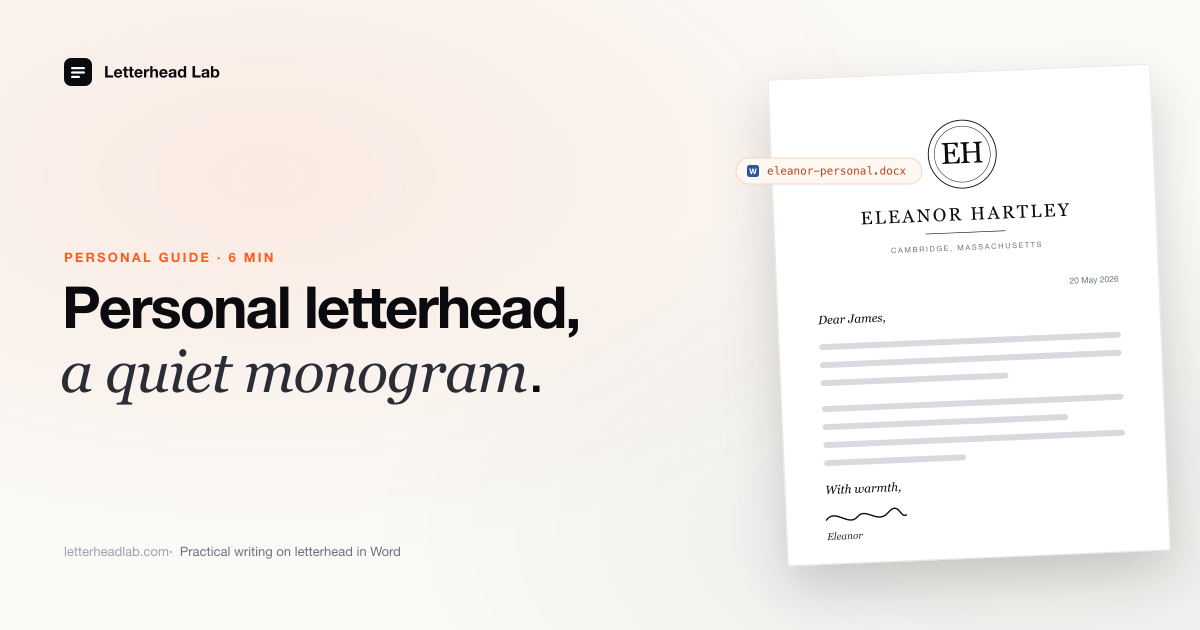
Personal letterhead is a small piece of stationery that does a specific, narrow job: it marks a letter as coming from a person, not an institution. It is not a brand, not a logo, not a Word template borrowed from the internet. This guide is about what personal letterhead actually is, what belongs on it, where it still gets used, and — the part most guides skip — how to make it usable inside Microsoft Word for the typed correspondence that fills most of a modern day.
What personal letterhead is, and what it isn't
Personal letterhead is a sheet that identifies a single person as the writer. The mark is usually a monogram, a family device, or a quiet typeset name with an address line — set once by a designer or an engraver and used for years.
It is not a corporate identity. There is no tagline, no logo lockup, no "established 1998." It is not a Word template gallery download, either; the whole point is that it is yours and only yours. And it is not a vehicle for design — the design is restrained, the page is mostly empty, and the letter does the talking.
The clearest way to draw the line: a business letterhead introduces an organization. Personal letterhead introduces a person, and only when the person has reason to be introduced formally rather than as a signature line at the bottom of an email.
What goes on a personal letterhead
The rule is restraint. A personal letterhead carries the smallest set of details that lets a recipient know who wrote and how to reply on paper.
A common set is: the writer's name (or monogram), a postal address, and — on more contemporary sheets — a single discreet email line. That is generally all. No phone number unless the writer wants one printed; no website; no social handles. The address is the formal one, where a handwritten reply could plausibly be sent, even if most replies will come by email.
Typography is usually one quiet serif, set small. The mark — when there is one — does the visual work; the type stays out of its way. The page itself is the canvas: heavy stock, generous margins, and a body area that is mostly empty because most of a good letter is white space.
The monogram convention
The monogram is the oldest convention in personal stationery, and it still does the job better than anything that has replaced it. Three letters, set inside a ring, a cartouche, or a plain panel, identify the writer without naming them — which is exactly the right register for personal correspondence.
The conventions matter. A two-letter monogram is usually first and last initial, set the same size. A three-letter monogram for a person traditionally puts the surname initial in the center, larger, with first and middle initials flanking it smaller — aBc rather than ABC. A married-couple monogram follows its own set of rules that a stationer will know. The point is that a monogram is not a logo; it follows formal practice, and a good engraver or designer will set it correctly.
A family device — a crest, a cipher, an inherited mark — works the same way. It is placed once, by hand, by a designer, and then the sheet exists. The job after that is just to use it. The monogram letterhead in Word page covers the specifics of getting that mark — the engraver's exact artwork — to behave correctly when the letter is typed instead of handwritten.
Where personal letterhead is actually used today
The honest answer is: not for most things. Most personal correspondence is email, and email is the right medium for it. Personal letterhead is reserved for the letters that warrant a piece of paper.
In practice, that short list includes condolence notes, formal RSVPs, ambassadorial or diplomatic replies, board correspondence written in a personal capacity, formal introductions, principal-level cover letters, and the occasional thank-you that is more than a text message. The principal of a family office, a trustee writing in their own name, a non-executive director responding to a chairman, a writer replying to a publisher — these are situations where a signature at the foot of an email reads as thin. The letterhead is the marker that says the writer chose to send a letter.
It is also, increasingly, used as a PDF. A personal letterhead converted to Word and exported to PDF travels by email and still looks like the writer's stationery, which is often the only practical way the recipient will see it. The paper version exists; the digital version is what actually arrives.
Engraved versus digital — when each fits
A piece of personal stationery has two lives now. One is the physical sheet, printed properly, that gets used for handwritten notes and for the small number of letters that genuinely go in an envelope. The other is the digital file, used in Word, that gets typed on and emailed.
Engraved stationery is the right answer when the recipient will hold the letter. The raised ink and the bite of the plate are tactile qualities — Word can place an image of an engraved monogram, but an image of engraving is not engraving. A fine-stationery engraver does that work, and the right move for a serious set of personal stationery is to commission it engraved first, and then convert the same artwork for Word use.
The digital version handles everything else: the typed cover letter, the formal email-attached note, the condolence that needs to be drafted carefully and emailed because the recipient is across an ocean. Both versions of the letterhead carry the same mark; the engraver makes one, the conversion produces the other.
Getting personal letterhead into Word
The mechanics of putting personal letterhead into Word are the same as for any designed letterhead, and the wrong move is the same too: do not rebuild it from scratch and do not run it through a generic PDF-to-Word converter.
The reason is straightforward. A monogram or family device is a specific piece of artwork the engraver or designer set. Word cannot reproduce it — the font may be private, the spacing is hand-tuned, and the mark is sometimes drawn rather than typeset. A generic converter will try to make it editable, which means substituting fonts, splintering the address block into floating frames, and producing something that looks like the original was photocopied badly. What is wanted is the opposite: the artwork preserved exactly, as artwork, with only the letter body left editable.
The correct path uses Letterhead Lab's personal letterhead converter, or the more general PDF to .docx letterhead conversion if the letterhead came as a multi-page PDF set. The conversion places the artwork into Word's header and footer at full resolution, sets the margins so the body starts cleanly below it, and leaves the body editable. Pricing is concrete — Single is $19 per page, the Multi-page bundle is $49 flat for up to 10 pages. The PDF stays in the browser the whole time; nothing is uploaded, which matters for stationery that carries a private name and address.
For a writer who has no PDF and is starting from a pre-structured Word skeleton instead, the letterhead-to-Word template tool gives the header height, margins, and footer area already set correctly — a faster start than a blank document, though it cannot replace a proper designed mark.
Personal letterhead versus family-office letterhead
A point of confusion worth resolving: personal letterhead and family-office letterhead are not the same thing, even when the writer is the principal of a family office. They identify different writers, and using the wrong one sends the wrong signal.
A family office writes under several institutional identities — a trust, a foundation, an operating family business — and a principal-to-principal letterhead for the principal's correspondence in their official capacity. Personal letterhead sits outside that set. It is what the principal uses for correspondence that is genuinely personal: a condolence note to a friend, a thank-you to a host, a private letter that should not look like office mail. The family-office overview shows how the whole set fits together.
For the institutional companion to this guide — how a family office handles the full set of trust, foundation, business, and personal marks — see the family-office letterhead guide. For the wider question of how letterhead works in Word at all, letterhead in Word — every way to do it lays out the three paths from blank page to converted PDF.
A practical close
The route, in order: have the mark designed or engraved properly; get the PDF; convert it so the artwork sits in Word's header and the body stays clean; save as a .dotx template so the master is never overwritten; draft from the template whenever a personal letter is warranted.
Done once, carefully, the next condolence note or formal reply is a matter of opening the template and writing. The letterhead is already correct, the margins clear the mark, and the writer is doing the only part that matters — choosing what to say. That is what personal stationery is for, in any century.
Frequently asked questions
- What is personal letterhead?
Personal letterhead is a stationery sheet that identifies a single person as the writer of a letter — usually a monogram, a family mark, or a quiet typeset name with an address line. It is not a corporate identity, not a Word template gallery download, and not a place for taglines or logos. The convention is restraint: the smallest set of details that lets a recipient know who wrote and how to reply.
- What should go on a personal letterhead?
A name or monogram, a postal address, and sometimes a single discreet email line. That is generally all. No phone number unless the writer wants one printed, no website, no social handles. Typography is usually one quiet serif set small, with the mark doing the visual work and the page kept mostly empty.
- Should personal letterhead be engraved or digital?
Both, for different jobs. Engraved stationery is right when the letter will be held — condolence notes, formal handwritten replies, the correspondence that warrants paper. The digital version, converted to Word, handles typed letters that go out by email. Most serious personal stationery exists in both forms, with the same artwork carrying across.
- How do I get my personal letterhead PDF into Word?
Use a conversion that places the artwork into Word's header and footer at full resolution and leaves the body editable — not a generic PDF-to-Word converter, which will try to make the mark editable and break it. Letterhead Lab's personal-letterhead conversion does this in the browser, so the PDF never leaves your device. Single is $19 per page; the Multi-page bundle is $49 flat for up to 10 pages.