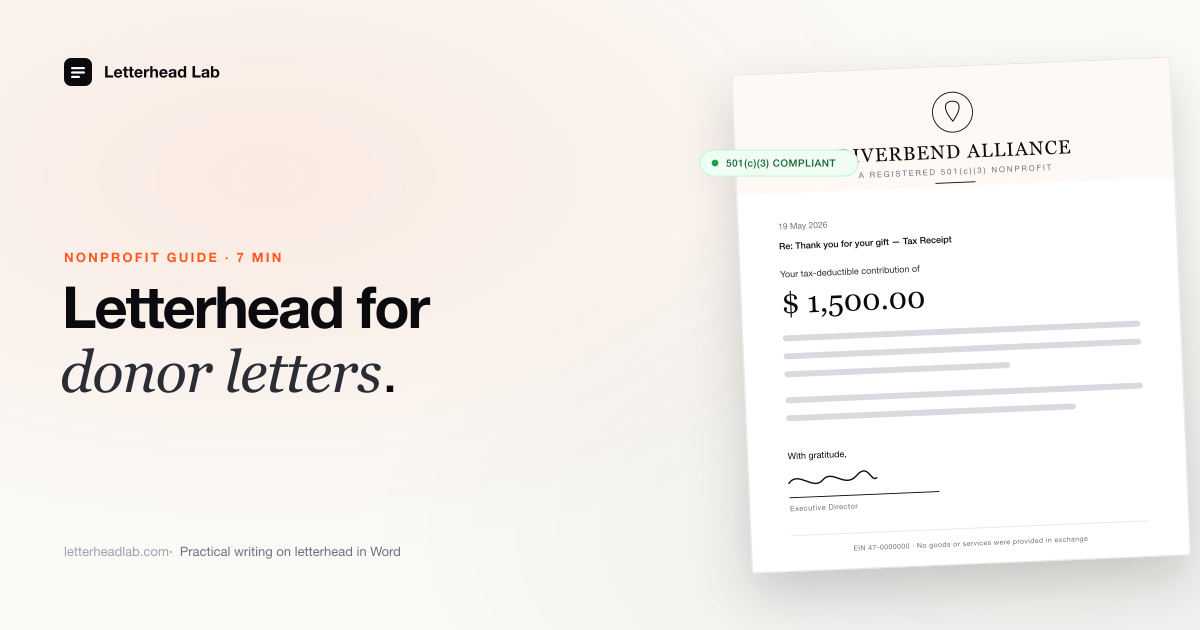
A nonprofit runs on correspondence. Donor thank-you letters, grant applications and reports, board resolutions, year-end tax receipts — each one goes out as a letter, and each is read by someone forming an impression of the organisation. This guide is about getting that letter onto the organisation's real letterhead in Microsoft Word: how a nonprofit converts its designed letterhead once, keeps it correct across staff and volunteers, and handles the specific documents where the formatting cannot be a guess.
Why letterhead matters for a nonprofit
Much of what a nonprofit sends is asking for trust — a donor's, a funder's, a regulator's. A letter on the organisation's designed letterhead reads as an established institution; the same words in a bare Word document read as improvised. For an organisation whose currency is credibility, that gap matters.
The pressure is sharper for nonprofits than for most businesses, because the audience is often deciding whether to give money. A foundation program officer reads a grant letter while weighing the organisation against a stack of others. A major donor reads an acknowledgment and decides, partly on tone, whether to renew. A letterhead that is slightly off — a logo nudged out of place, a substituted font, a wrapped address block — suggests an organisation that does not control its own output.
So the bar is "correct, every time," regardless of which staff member, volunteer, or board officer produced the letter. With small teams and high turnover, that is hard to hit by hand. It is, however, a straightforward operations problem with an operations solution.
The 501(c)(3) identification convention
Tax-exempt organisations follow a common convention: formal correspondence shows the organisation's full legal name, and documents that function as donation records also identify the organisation clearly enough that a donor can substantiate the gift. None of this is legal advice — confirm specifics with the organisation's own counsel or accountant.
In practice, the letterhead carries most of this weight. A well-built nonprofit letterhead shows the full legal name of the organisation — not just the program name or the casual short name the public knows. Many organisations also include their EIN (Employer Identification Number) somewhere on the letterhead or in the footer, and a line noting tax-exempt status. Where a donor needs that information to claim a deduction, having it already on the letterhead means it is never missing from a receipt.
This is exactly why the letterhead should be a fixed, converted asset rather than something rebuilt per letter. If the legal name, EIN, and exempt-status line live in the Word header and footer of a converted template, every donor acknowledgment and every tax receipt carries them automatically. The 501(c)(3) letterhead workflow is built around keeping that identifying information consistent across every document the organisation sends.
What the letterhead should not do is improvise tax language. The organisation's accountant decides what a receipt must say; the letterhead's job is to make sure the legal name and identifying details are present and correct so nothing has to be retyped — and retyped wrong — on each one.
Donor acknowledgment letters
A donor acknowledgment letter does two jobs at once: it thanks the donor, and it serves as the donor's record of the gift. Both jobs are better done on the organisation's real letterhead, where the legal name and identifying details are already in place and the tone reads as considered rather than rushed.
The acknowledgment is the document a nonprofit sends most, and it is the clearest case for a reusable template. The body holds the gift-specific language — amount, date, a sentence on what the gift supports, and whatever acknowledgment wording the organisation's accountant has approved — while the letterhead sits fixed above it. Staff fill in the variable details; they never rebuild the header. The donor letter letterhead page covers this workflow, and the nonprofit hub sets it in context with the organisation's other letters.
There is a privacy point here worth being explicit about. Donor acknowledgments carry sensitive information — names, gift amounts, sometimes home addresses. The conversion that produces the letterhead template should never put that data at risk, which is why it matters that the conversion runs in your browser: your PDF stays in your browser, and is never uploaded to a server. The letterhead itself is just artwork, but the workflow that produces it should not be the weak link in how donor data is handled.
Grant correspondence
Grant correspondence runs in two directions, and a nonprofit sits in the middle of both. It writes up to funders — applications, inquiry letters, reports, stewardship notes — and it writes down to grantees if it makes grants of its own. Each side should go out on the organisation's letterhead.
Letters to funders are high-stakes by definition: a program officer is comparing the organisation against others, and the letter is part of that comparison before the substance is even read. A letterhead that looks composed signals an organisation that runs itself well. Letters to grantees — award notifications, reporting reminders, renewal decisions — carry the organisation's authority as a funder, and they should look the part.
Because grant correspondence is sent repeatedly and read closely, it is template territory. Convert the letterhead once, save it as a template, and every application cover letter and every grant report starts from the correct file. The grant correspondence letterhead page covers the setup; the underlying mechanics are a PDF-to-Word conversion that places the artwork in the header and leaves the body clean for the letter itself.
Grant reports also tend to run long — several pages of narrative and financials. A single-page letterhead repeating at full size on page seven looks wrong. A multi-page conversion sets up a continuation header: the full letterhead on page one, a slimmer header on every page after.
Board communications
Board communications are formal documents with a different audience: the people who govern the organisation. Board resolutions, meeting notices, officer letters, and committee correspondence all carry the organisation's institutional voice, and they belong on the organisation's letterhead rather than a plain page.
A board resolution is, in effect, the organisation speaking in its own name — recording a decision the board has made. It reads as a more serious instrument on letterhead that shows the full legal name and is formatted consistently from one resolution to the next. Member and officer letters — a chair's note to the board, a secretary's transmittal of minutes — carry the same weight and benefit from the same consistency.
The practical fix is the same as everywhere else: a converted Word template, with the letterhead fixed in the header and footer and the body left clean for the resolution text or the letter. The board letter letterhead page covers the workflow, including the case where the board operates under a slightly different letterhead variant — for instance, one that lists current officers.
When to spring for engraved letterhead
For most nonprofit correspondence, a converted Word letterhead is exactly the right tool — it is what donor letters, grant reports, and board notices are typed and emailed on. But there are letters where a physical, engraved letterhead earns its cost.
Major-gift correspondence and capital-campaign appeals are the obvious cases. A personal letter to a significant donor, a stewardship note after a transformational gift, an invitation to a campaign event — these are letters where the tactile quality of engraved paper is part of the message, and where the organisation may want a printed letterhead from a stationer. A fine-stationery engraver can produce an engraved letterhead, worth commissioning for an organisation's highest-touch correspondence.
The two are not in competition. The engraved letterhead is for the printed letter that arrives in an envelope; the converted Word letterhead is for everything that is typed and emailed — which, for most nonprofits, is the overwhelming majority of what goes out. Most organisations want both: the engraved version for the few letters that warrant it, and the Word version for the daily flow.
A practical close
A nonprofit's letterhead has to be correct on every letter — donor acknowledgments, grant applications, board resolutions, year-end receipts — and that is achievable without depending on every staff member and volunteer getting it right by hand.
- Whoever owns operations converts the organisation's PDF letterhead into a Word file once, with the artwork in the header and footer and the full legal name and identifying details in place.
- They save it as a
.dotxtemplate in a shared location — Word's Custom Office Templates folder, a SharePoint library, or the network drive staff already use. - Staff, volunteers, and board officers open the template to draft a letter, type the donor acknowledgment, grant cover, or resolution, and save it as a new document.
- The master template is never edited, because a
.dotxopens a copy. The organisation's letterhead cannot be corrupted by a stray save.
Convert the PDF once, share the .dotx, and everyone drafts on the right letterhead. If the organisation runs more than one letterhead — a foundation arm, a separate program brand — the Multi-page bundle converts up to ten in one pass. The Single tier is $19 per page; the Multi-page bundle is $49 flat for up to ten pages. For the mechanics of how the artwork sits in the header and footer, see letterhead in Word. Done once, properly, the letterhead stops being something anyone has to get right — it simply is right.
Frequently asked questions
- What should a nonprofit's letterhead show for 501(c)(3) correspondence?
The common convention is the organisation's full legal name, often the EIN, and a line noting tax-exempt status. This keeps identifying details consistent on donor receipts and grant letters. Confirm specifics with the organisation's own accountant or counsel.
- Can one conversion handle more than one nonprofit letterhead?
Yes. Put each letterhead — a foundation arm, a separate program brand — on its own page of a single PDF and convert them together. The Multi-page bundle handles up to ten in one pass, each returned as its own Word file.
- Is donor data at risk during the conversion?
No. The conversion runs entirely in your browser — your PDF stays on your device and is never uploaded to a server. The letterhead artwork itself carries no donor data, and the workflow that produces it does not transmit anything.
- How do long grant reports keep the letterhead correct?
Through a continuation header: the full letterhead on page one and a slimmer header on every page after, using Word's different-first-page setting. A multi-page conversion configures this so a report of any length stays correct.