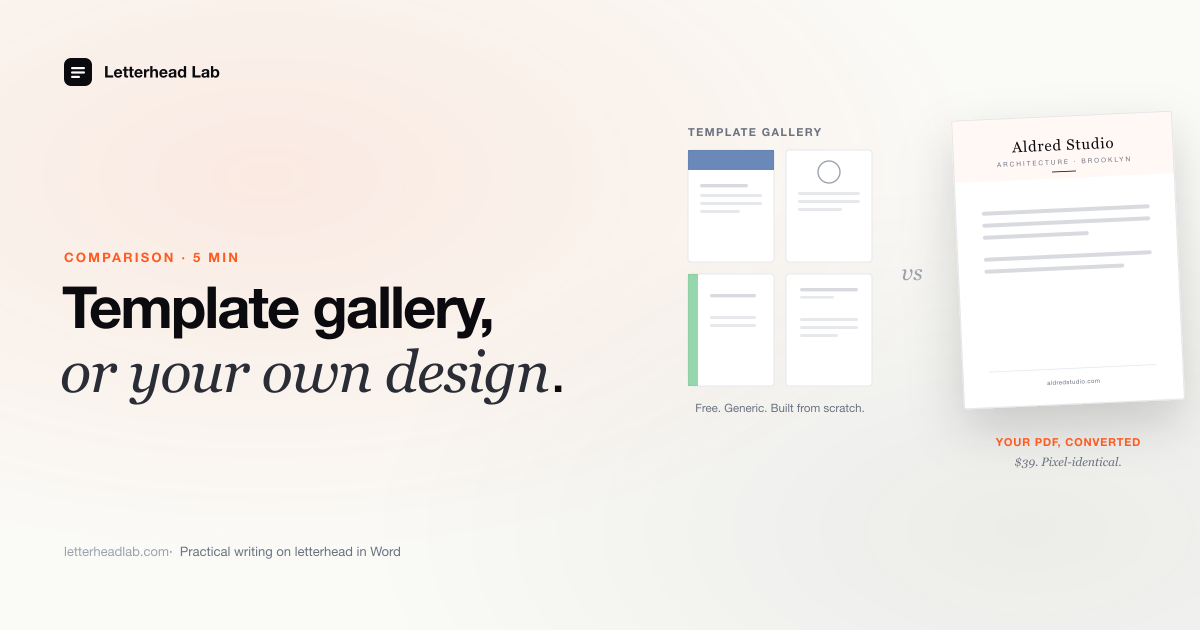
Search "Word letterhead template" and you get a gallery — a grid of ready-made layouts you download and type into. Search with a designed letterhead already on your desk, and a gallery is the wrong tool. These are two different starting points, and the gap between them decides whether you pick a template or convert the file you already own.
What a Word letterhead template gallery gives you
A template gallery hands you a finished, editable letterhead layout — header, margins, placeholder logo and contact block already arranged. You pick one, swap in your details, and start writing. It is a real, useful product for one specific situation.
There are three galleries worth naming. Microsoft's own templates ship inside Word under File → New, and through the Create site online — a few dozen letterhead layouts, free, one click, no account friction. Hloom runs a large free library of Word letterhead templates with more visual variety than Microsoft's set. Template.net sells a deeper catalog, much of it editable Word files, on a per-template or subscription basis. All three do the same job well: they give you a structurally correct letterhead in minutes when you do not have one. The header height is sane, the margins clear the artwork, and the file opens cleanly in Word. That is genuinely valuable if you are starting from nothing.
Where a template falls short
A template's limit is built into what it is: a layout designed for everyone, which means it was not designed for you. It is a letterhead, not your letterhead — and if a designer already made yours, the gap is immediate and visible.
The placeholder logo is a generic mark or a slot you fill with a flat PNG. The typeface is whatever Word ships with — not the face your designer licensed and set your name in. The spacing, the rule weights, the color: all chosen to look acceptable on any business, which is a different goal from looking like your business. You can edit a template toward your brand, but you are reverse-engineering someone else's file into an approximation of a design you already own in finished form. The kerning a designer set, a two-color foil, an embossed monogram — a template cannot carry any of it, because it never had it. For a law firm or a design agency, where the letterhead is part of the signal, that approximation undercuts the work that was already paid for.
Editing a template back to your design is harder than converting
The most common workaround is to download a gallery template and edit it until it matches the real brand: replace the placeholder logo, change the font, adjust the colors, move the address block. It takes longer than people expect.
The fonts in gallery templates are rarely the ones you have licensed, the placeholder logo is locked into a set position, and the color theme has to be edited globally. Two hours later the result still looks like a Microsoft template wearing your colors.
Compare that with dropping your designer's PDF into a converter, setting the crop and margins in a live preview, and downloading — about a minute. Paid alternatives do not close the gap either: Etsy listings sell prettier editable Word letterheads for $5–$30, but they are still someone else's design, and Canva or 99designs solve a different problem — designing a letterhead from scratch, not getting the one you own into Word.
The converter path: lift the design you already own
If your designer or stationer handed you a PDF, you do not need a layout — you have the design. The converter path takes that PDF and places its artwork, untouched, into Word's header and footer. The body stays a clean, blank page you type a letter into.
This is a different operation from a template and a different operation from a generic PDF-to-Word tool. A generic converter tries to make every element editable, so it rebuilds your logo in a guessed font and splinters the address block into overlapping frames — the design arrives mangled. A correct conversion does the opposite: it keeps the artwork as artwork, locked into the header and footer at full resolution, and leaves only the letter body editable. Nothing is reinterpreted, so nothing is lost. The PDF-to-Word letterhead converter does exactly this — upload, set the crop in a live preview, download — and because the conversion runs entirely in your browser, the PDF is never uploaded to a server. For a file carrying a confidential client name or a private family identity, that matters. If what you want is specifically the reusable template structure, the letterhead-to-Word template tool builds that, and the create-letterhead Word tool handles the margin-and-header geometry.
Side by side
The two paths are not competitors so much as answers to two different questions. The table below lines them up on the things that actually decide it: what you start with, what you spend, and what you end up holding.
| Template gallery | Converting your PDF | |
|---|---|---|
| What you start with | Nothing — no designed letterhead | A finished, designed PDF letterhead |
| Cost | Free (Microsoft, Hloom) to ~$5–$30 per template (Template.net, Etsy) | $19 per page; $49 flat for the Multi-page bundle, up to 10 pages |
| Fidelity | A generic layout you adapt toward your brand | Your exact design — typography, mark, color — lifted intact |
| Output | One editable .docx layout |
.docx, and .dotx + A4 + US Letter + continuation header with the bundle |
| Who it is for | Anyone who needs a letterhead and has no design | Anyone who already owns a designed letterhead |
The cost line is the one people fixate on, and it reads in the template's favor until you ask what you are buying. A free template is free because it is generic. The $19 — or $49 flat for the Multi-page bundle, which returns every format and is cheaper than per-page conversion from the third page on — buys the conversion of a design you may have paid a designer $500 to $5,000 to produce. Measured against that, it is the cost of using the asset rather than shelving it.
When a template is genuinely the right call
To be fair to the galleries: there is a real audience they serve well, and we are not going to pretend otherwise. If you do not have a designed letterhead, a template is not a compromise — it is the correct tool, and a converter would have nothing to convert.
Use a template gallery if you have no designed letterhead and are not going to commission one. Use it if your letterhead carries no brand weight — internal IT memos, HR forms, routine notices where nobody is reading the masthead. Use it if you send a formal letter twice a year and the stakes do not justify a designer at all. In those cases Microsoft's free set or Hloom's library does the job, costs nothing, and you should not pay us a cent. The product here is for people who already own a design — not a way to talk everyone into a paid file.
How to decide
The decision turns on one question, asked before anything about price or features: do you already have a designed letterhead PDF? Everything else follows from the answer, and most people know theirs immediately.
If the answer is no — no PDF, no designer, no identity to protect — open a template gallery. Microsoft's is free and built into Word; Hloom and Template.net give you more range. Adapt one, save it, move on. If you would rather build the structure yourself, Letterhead in Word walks through every from-scratch method.
If the answer is yes — a designer or stationer gave you a finished PDF — do not rebuild it from a template and do not run it through a generic converter. Both produce a worse version of something you already own in its best form. Convert it: the artwork goes into the header and footer exactly as designed, the body stays clean, and the file you paid for finally works as a letter page. Convert your PDF letterhead to a Word template for a reusable file the whole team opens, or use the PDF to DOCX letterhead converter if you just need a single .docx. If you would rather spend 45 minutes doing it by hand in Acrobat and Word, here is the manual workflow. The /for/law-firms/ page covers the case where the letterhead is part of the firm's gravitas.
A note on file format. A .docx is a document; a .dotx is a true template that opens a fresh untitled copy each time, so the master can't be overwritten. If several people share one letterhead, the .dotx template format is the safer choice. It comes with the Multi-page bundle.
Frequently asked questions
- Is a free Word letterhead template good enough?
For low-stakes, occasional letters with no brand to protect, yes — Microsoft's and Hloom's free galleries do the job. If a designer already made your letterhead, a generic template undercuts that work; converting the designed PDF keeps your real typography and mark intact.
- Can I just edit a Word letterhead template to match my brand?
You can try, but you are reverse-engineering someone else's layout into an approximation of a design you already own. The licensed typeface, the exact mark, any foil or engraving detail will not transfer. Converting your designed PDF preserves all of it.
- What does converting cost compared to a template?
A template is free to roughly $30. Converting is $19 per page, or $49 flat for the Multi-page bundle covering up to 10 pages with every format. The converter price buys the use of a design you may already have paid a designer hundreds or thousands to produce.
- Which should a design agency hand its clients?
A converted file. The agency already produced the designed letterhead; converting it ships the client a Word document that carries that exact identity, rather than a generic template that does not. It closes the brand package instead of weakening it.